Why Kubernetes? And what has Kubernetes to do with GPUs?
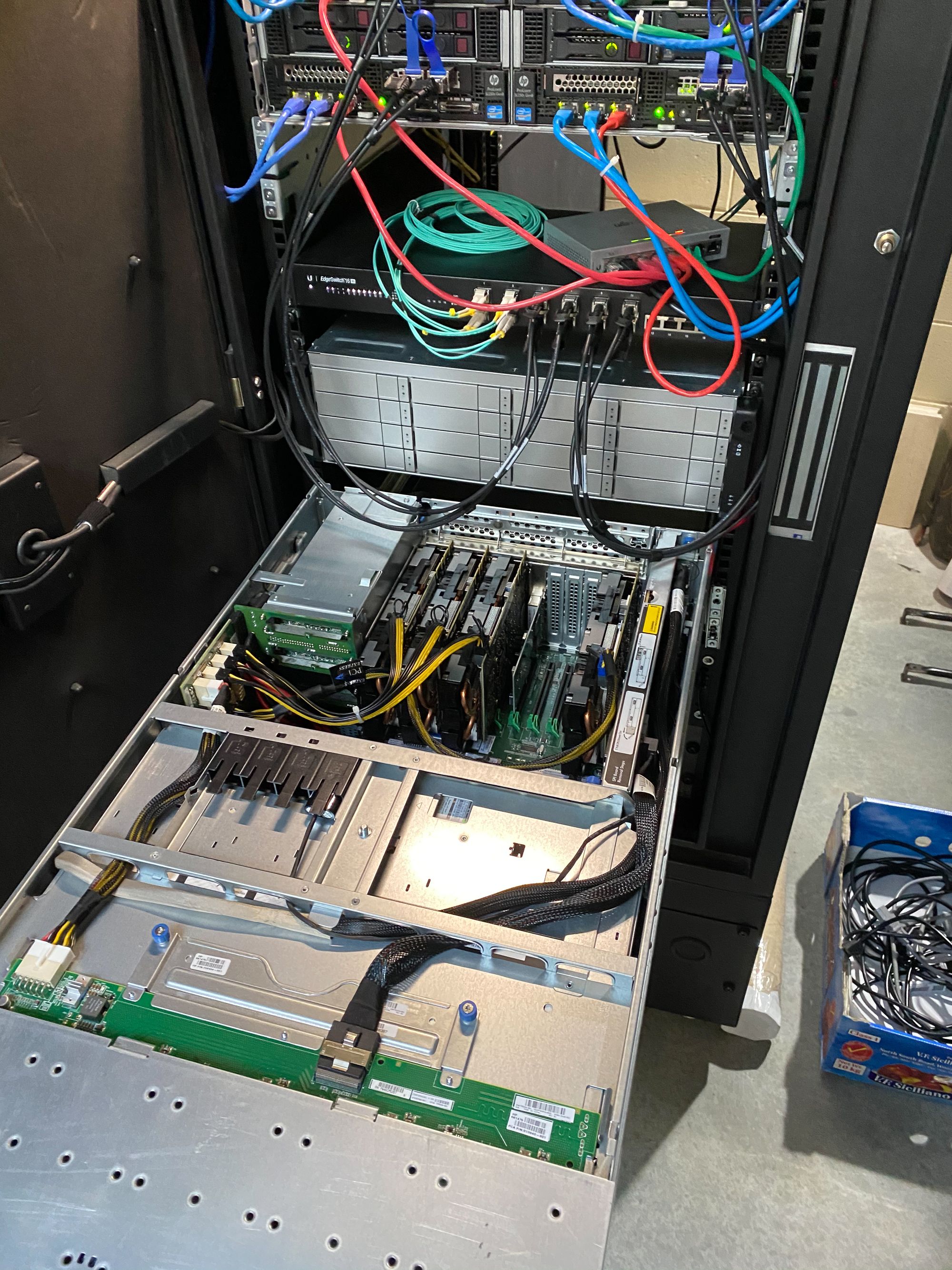
So if you’ve been following along, in my intro to Mini series, part 2 you will remember both the mighty DL580 and its four smaller siblings all have ample capacity for installing large interface cards. Notably, the four HPE SL250 servers in the shared power chassis are intended to house either and additional non-hot-swap 4x 2.5” disk drives, or up to 3x doublewide PCIe x16 accelerator cards.
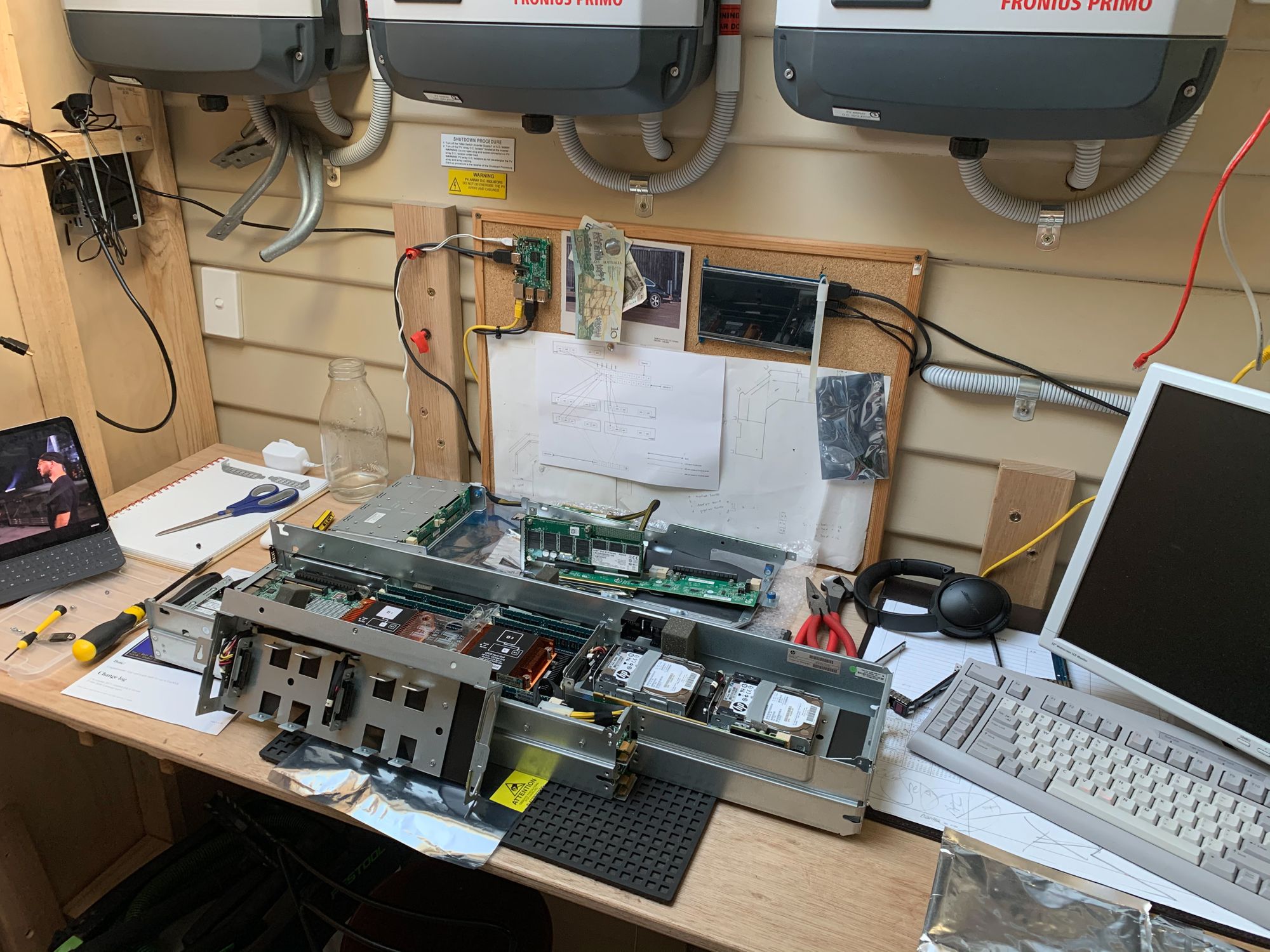
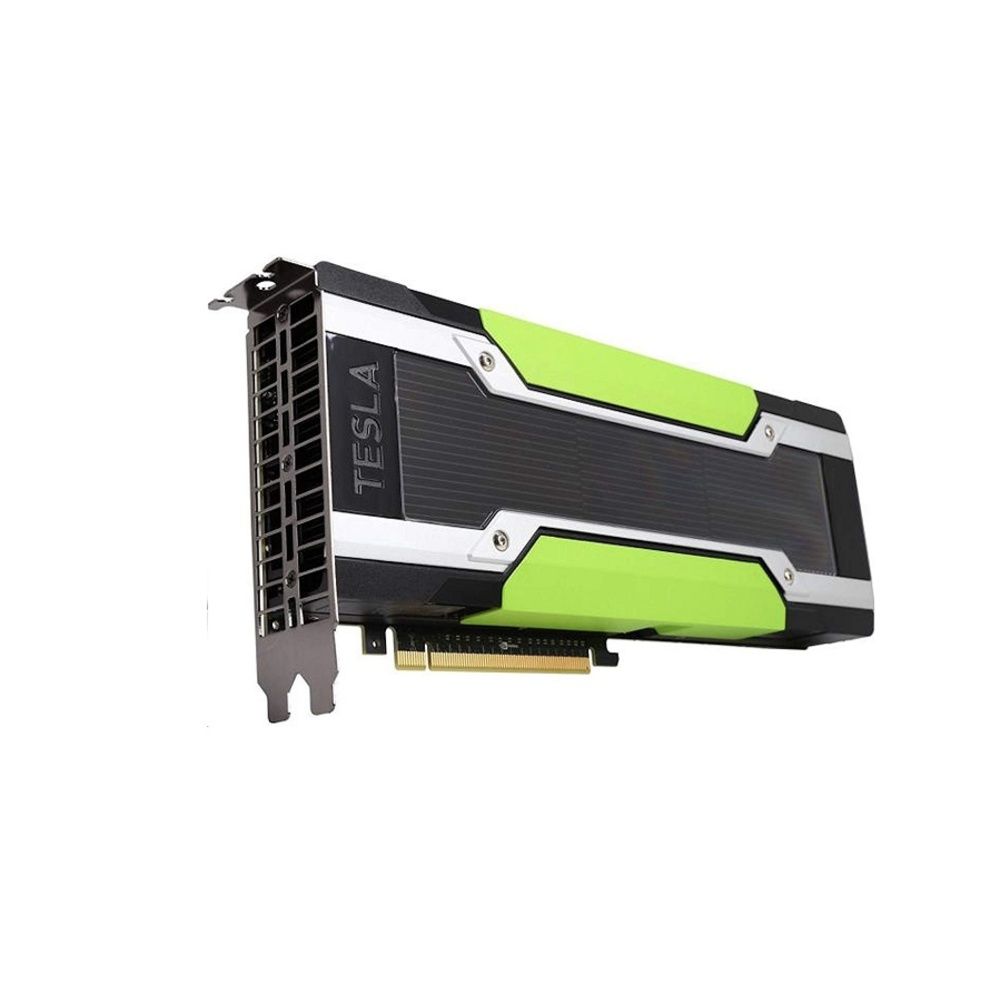
The used SL250s I bought had the disk drive caddies installed, and were missing the power cables and airflow restrictors necessary to install accelerator cards. In a legitimate business environment, these cards new cost in the tens of thousands of dollars each. They do not have their own cooling fans as installation in high airflow servers is adequate and more reliable. Nor do they have display outputs.
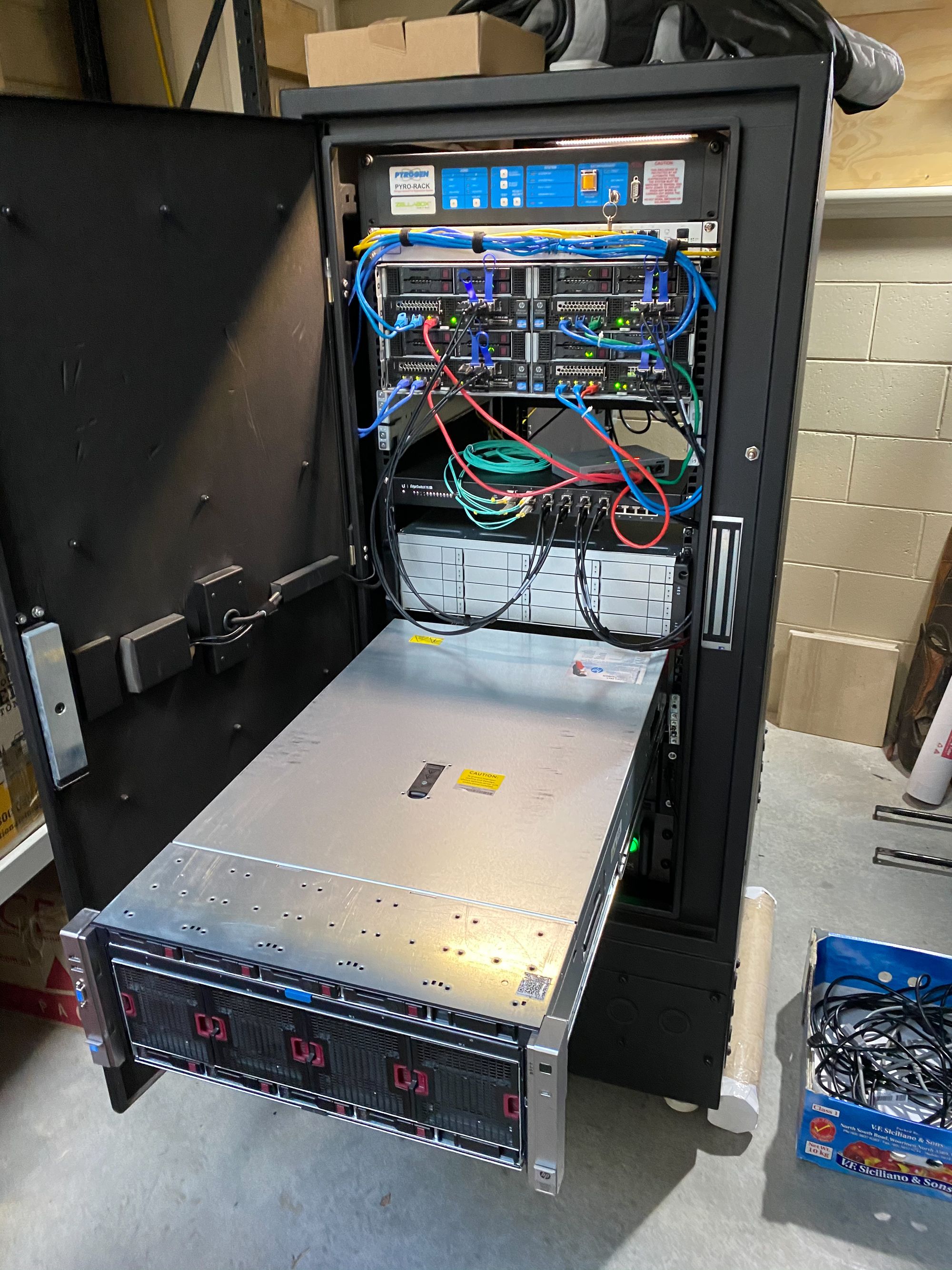
In a mad scientist home IT lab however, one could put regular GPU cards into the SL250 if one was comfortable that they could be adequately cooled, and if not, monitored for automated workload shutdown. Failing that, inbuilt fire suppression would be a nice to have.
Fire suppression is something I have in my Zellabox server rack but frankly I’m too frightened to enable and test the thing. I digress.
repurposing nVidia mining cards
Now as it happens, I have 8x older generation GPUs from a crypto mining experiment I undertook a couple of years ago. Living on an island with abundant hydro electricity, a residential Time-of-Use tariff and a solar and battery installation, I figured I could gain a quicker return on investment in from my Tesla battery by mining crypto currencies.
Regrettably, at the time nVidia decided to produce dedicated GPUs for this purpose, which seemed to fit the bill for me. As to why I regret this, you shall see.
Nevertheless, the specs of the cards were;
P104-100, 4GB GDDR5X and 1920 CUDA cores
These were Pascal generation GP104 chips. Essentially GTX1070 equivalent although with only half the memory and no physical display ports.
The sell was;
- more reliable fans
- sufficient but not excessive memory and CUDA cores to keep power consumption low
- very fast memory, suited best to Etherium mining
Unfortunately the bottom fell out of the crypto market making mining unaffordable, and these cards and the open mining chassis I had them installed in sat languishing in my shed.
Crypto mining is of course just one workload you can run on GPUs, as evidenced by the existence HPE SL250. The power consumption and prohibitive expense of server grade GPU accelerators showed that if perhaps I wanted to do some petro-techincal computing or seismic processing in my garage, I essentially had most of the kit necessary.
Of course the very limited memory capacity of these eight cards ruled out atomic research, but I could do something with them, including mining Ravencoin and other cryptos which were more suited backyard mining than dedicated ASIC farms in petro states and corporate criminal endeavours with gullible Western state owned power firms.
I wanted to put those CUDA cores to use!
The first use case that came to mind was home media server transcoding.
Plex Media Server transcoding
The Plex Media Server will surely have a blogpost of its own in due course, but the short’n’sweet is;
- a client/server application for audio/visual media
- home movies and other videos, photo libraries, stored on a server, distributed on demand to household screens
- the server transcodes the large video files to suit different screen size and remote bandwidth limitations
I have run a Plex server for years, with our personal DVD collection being ‘ripped’ to digital files to prevent children rubbing my discs on the floor after they insert The Wiggles into a Playstation or dedicated DVD/Bluray player.
Now it could certainly be said that Mini, with its 108 CPU cores had ample processing headroom to transcode the odd film.. but those CUDA cores must be used damn it!
Little did I know that at the outset, it was not on the CUDA cores that transcoding, specifically encoding takes place, but on dedicated encode cores. All nVidia GPUs have had this facility since the Kepler-based GeForce 600 series (March 2012).
Headless gaming
Another workload I was keen to experiment with was to utilise the GPUs in virtualised workstations instances. These are powerful instances of Windows, Linux or MacOS (or OS/2) that you access through a thin-client, or remote desktop. Some of the big players had started offering GPUs on demand, wherein you could rent a powerful ‘gaming PC’, and connect to it from a lightweight gaming console connected to your TV.
Well there are a few games on Steam that are only available for Windows that I wanted to expose to my kids, without the headache of yet another bloody system in my house that I needed to maintain.
Surely I could spin some up on Mini with the GPUs passed through to the VMs. I certainly would not need the missing physical display port of the GPUs for that workload.
What I would need was a method of managing the instances, ideally as cattle not pets, and some research would be necessary to figure out how Windows effectively can stream GPU accelerated displays.
Kubernetes and Docker
As I have repeatedly indicated, I am tired of maintaining systems, which seams a little oxymoronic given my setup, I know, but bear with me.
When you install an application onto a traditional computing system (not a sandboxed iOS device for example), the following needs to be available on the system for the app to run;
- libraries, or supporting software binaries
- app binaries
- various bundled, non-necessary app cruft
- configuration files and/or configuration registry entries
Over the course of the system’s lifetime, not only are the libraries updated, perhaps with bug-fixes or performance improvements, but other apps are installed and removed.
Furthermore, library incompatibilities can exist between different apps.
Docker introduced the bundling of relevant libraries and all that is required, with the app binaries in a single image. When deployed with a relevant configuration environment variables etc., the app could be deployed swiftly without concern for the other libraries installed on a system.
Additionally, the whole bundle could be efficiently disposed of when no longer necessary, without kludging up the system with remanent unused libraries etc., that pose incompatibility issues and security risks.
To be sure, loading and running untrusted Docker images also constitute a security risk, but this can be mitigated to some degree.
Now, just as I am creating (with code) Ubuntu VMs with relevant installed software and configuration to automatically participate in my Kubernetes clusters, I now have with Docker images, part of what is necessary to deploy apps with code.
The missing component is the orchestration engine for the Docker images, their configuration and relevant networking/storage to suit. For my Ubuntu VMs, which largely are static, there is no engine, just some bash scripts to orchestrate the assembly of the VMs.
For apps, Kubernetes fits the bill, which definitely will have its own blog post(s).
How is this relevant to GPUs?
Well interesting CUDA workloads exist in a mysterious ecosystem of libraries all to themselves. Absent sitting in a data science course, bolting Docker images of tools to apps with networking plumbing and filesystem configuration will be very much trial and error for me. Cruft would be my enemy. Repeatability, adjusting one component at a time, my friend.
Running applications with Docker or other container methods introduces some complexity when interacting with exotic hardware. Special versions of the Docker shim are required, which are less commonly used, less well supported and certainly less well documented.
Running applications with Docker, on Virtual Machines, using pass-through hardware is another layer of complexity, further reducing the pool of people doing data science with CUDA by this methodology. Exacerbating the lack of internet how-tos and documentation.
Orchestrating these Docker apps, on virtualised pass-though hardware, using a hyperscaler software solution like Kubernetes is a whole new level of crazy. Especially when not using nVidia supported server accelerators, but instead trying to hamfist supposedly bespoke mining GPUs into an opensource home lab.
The challenge was set. Could I level up and push CUDA at will

nVidia you bastards
With epic-ness foretold, I slaved away, and as might be documented in other posts, managed to eventually orchestrate as outlined.
I learnt a lot about Kubernetes obviously, but I also learnt quite a bit about nVidia GPUs.
nVidia corp make the chip, and reference boards for consumer manufacturers to copy, buy the chips at scale, put them into gaming cards such as the RTX2080.
The GPUs I will discuss are principally of the GeForce 10 series (Pascal architecture) generation. That is what my mining cards are, and what is realistically affordable on the used market.
nVidia striate their products in three lines, consumer (GeForce), business/creative (Quadro), and enterprise/server (Tesla). They outsource the GeForce cards to gaming peripherals companies such as Gigabyte, ASUS and MSI. As far as I can tell, nVidia make the Quadro and Tesla cards themselves. All are fundamentally based on the same or similar chips, differentiated by memory size/speed/bandwidth, power supply and cooling solutions.
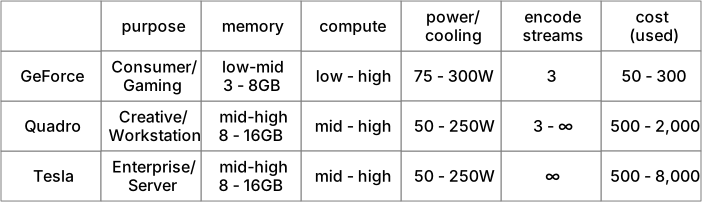
Some features are software limited. Video encoding (NVenc) one of these software limited features.
So for my initial GPU workload, I actually required PureVideo and NVenc not CUDA, and the Plex Media Server when running on Linux did not at the time support hardware decoding (PureVideo) using nVidia GPUs.
Digging around online, trying to rule out edge cases such as my exotic setup, I came to learn the latest nVidia software drivers for Linux, at the time (440.x) did not support hardware encoding (NVenc). I would need to wait for 450. That shouldn’t be long. And it wasn’t, although I struggled to find the time at the time.
Now that I have software drivers that support NVenc, and hardware/software stack that virtualises and orchestrates my 4x installed GPUs, I found I still could not transcode, either in Plex, Handbrake nor FFmpeg. What gives?
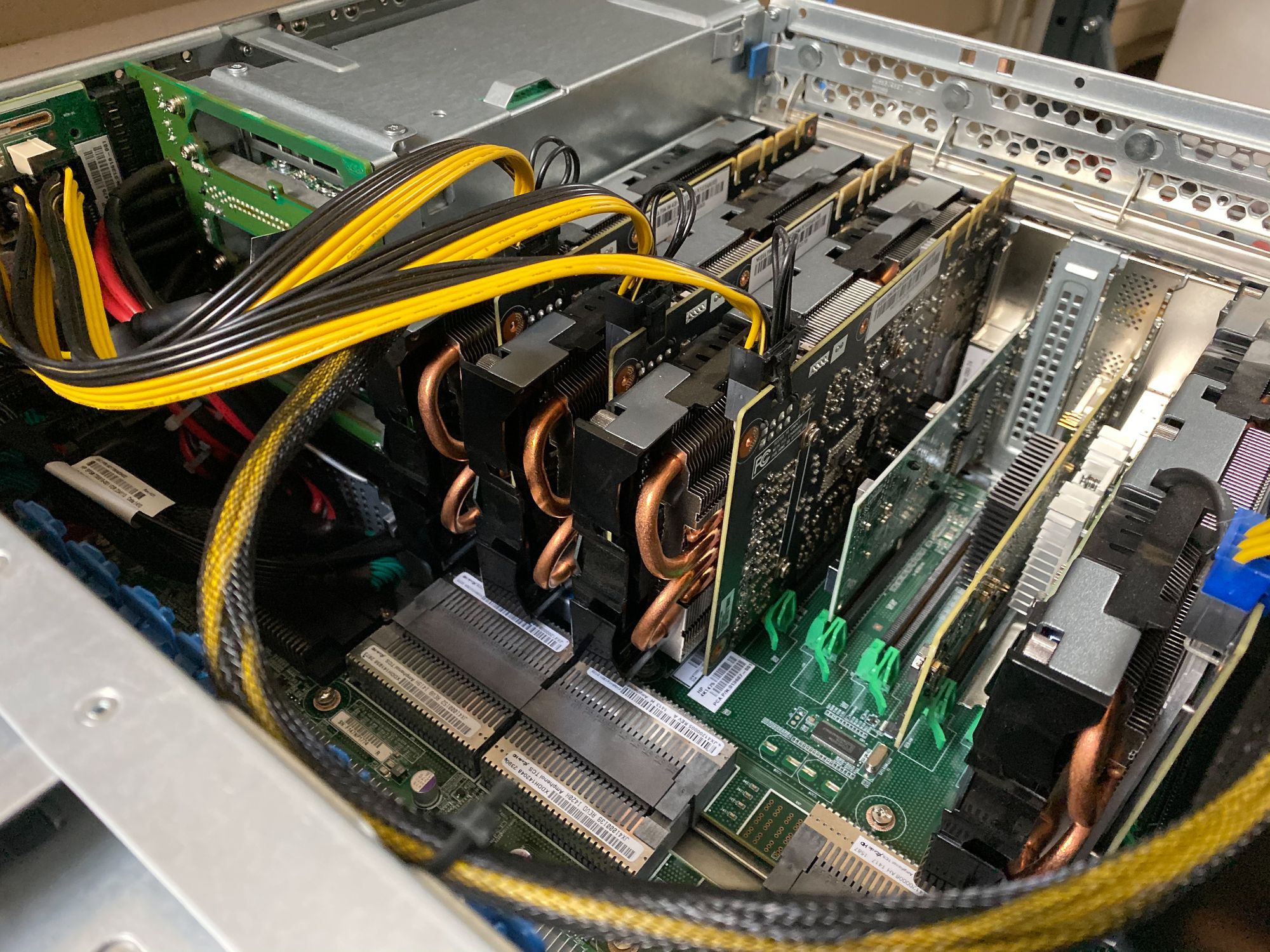
more GPUs needed?
You might have noticed mining cards were not on the matrix above. These are a flavour of GeForce, built by third parties.
Well, it turns out that nVidia has limited them to zero streams of NVenc processing. This is almost certainly a software limitation, that could be resolved by my hacking the nVidia drivers, which I’m loathed to do. Presently, to update the drivers or any software on my Kubernetes VMs, is a simple configuration change, necessitating an automated build of a new VM with the latest Ubuntu cloud image and other software. The drivers are downloaded fresh and I don’t want to develop and maintain a hack to those. These VMs are cattle after all.
Another avenue for investigation is the way the PCI device IDs are passed through the KVM hypervisor to the VMs.
c1:00.0 3D controller [0302]: NVIDIA Corporation GP104 [P104-100] [10de:1b87] (rev a1)
10de = nVidia Corp1b87 = p104-100 mining GPU
Currently the driver software for the GPUs is running on the Ubuntu VM, not the hypervisor, so if I could fudge what type of card the VM thinks it is running, the driver software would be none the wiser.
new CUDA workloads
By this time I have found additional GPU accelerated workloads I want to run on Mini. Namely machine vision, or the categorisation of objects in images or video feeds. These are predominately Tensorflow and equivalent machine learning, CUDA optimised workloads.
We have a number of 1080p security cameras to which I could stream their feed through some GPU accelerated object recognition algorithms, which would be represented as sensors in our home automation system.
Some initial research has lead me to the following projects, all of which have already been integrated into home-assistant.io in some way or another;
Image analysis is just one of the options for data science on your home-assistant.io instance, which can be a clearing house for personal IoT ingest. Check out https://data.home-assistant.io
In order of interest (to me)
Deepstack
Locally hosted Deepstack, runs as a RESTful microservice which you push an image at, and receive a JSON describing the contents. Thus it is a component you could use as part of a larger system. Many have built on top of Deepstack, including Robin Cole who is the author a home-assistant.io integration.
Deepstack can also be used for face detection. I’m considering using this to complement other presence detection sensors such as WiFi association, DHCP leases, and GPS. Using a bayesian of those, with a high probability on positive face matching, perhaps your home will disarm and unlock.
Limitations identified to date:
- Images not RTSP camera streams are ingested, thus to utilise GPU acceleration, the RTSP feed will need to be decoded into JPEG etc.
Frigate
This security camera network video recorder takes RTSP streams and adds person detection. The documentation seems to be missing and I’m not sure if it is compiled for GPU acceleration, or only CPU and the Google Edge TPU USB stick called Coral. These USD 59 USB sticks would probably blow my 250W GPUs out of the water for some of these types of workloads.
As mentioned there is a custom component for home-assistant.io. If you were running home-assistant.io on a Raspberry Pi or Intel NUC like a normal person, there is a hass.io plugin that will have Frigate running in Docker alongside your home-assistant in a couple of minutes.
DOODS
Not aspiring to be a full featured Camera NVR, DOODS is similar to Deepstack, although constantly monitoring the camera streams rather than operating as a REST microservice.
There appears to a fairly robust home-assistant integration for DOODS.
To CUDA or bust
The other challenge with Docker CUDA workloads, are that only one Docker container at a time can use the GPU.
Now docker containers start times is in the milliseconds, not seconds, so object detection workloads could be triggered on external motion detection, and only spin up the workloads as necessary.
Potentially to feed the object detection workloads I might need to transcode the camera streams, which would be a constant workload.
Intel QuickSync or..
CPU based hardware assisted decode/encode is another glaring option. I’m unsure my Ivy Bridge Xeons have the necessary circuits. Proxmox does not seem to present this to the VMs in a way that the I have managed to get Docker workloads to recognise.
If my 8 cameras require transcoding, and Plex server is running, as is object detection, which workload uses the GPU? I only have four cards presently installed. This will take some experimentation, and just perhaps, installing another NVenc capable GPU (or two) for transcoding.