Part 5 of 5 - follows on from; Part 4 - not a fifth wheel
our home server solution Mini
provides for a resilient, performant pool of processing units and persistent storage to run ‘household’ apps.
In total there are 108 CPU cores and (currently) 960GB of RAM. This pool of CPUs and memory is supported by a 40TB raw SSD, and 48TB usable spinning rust.
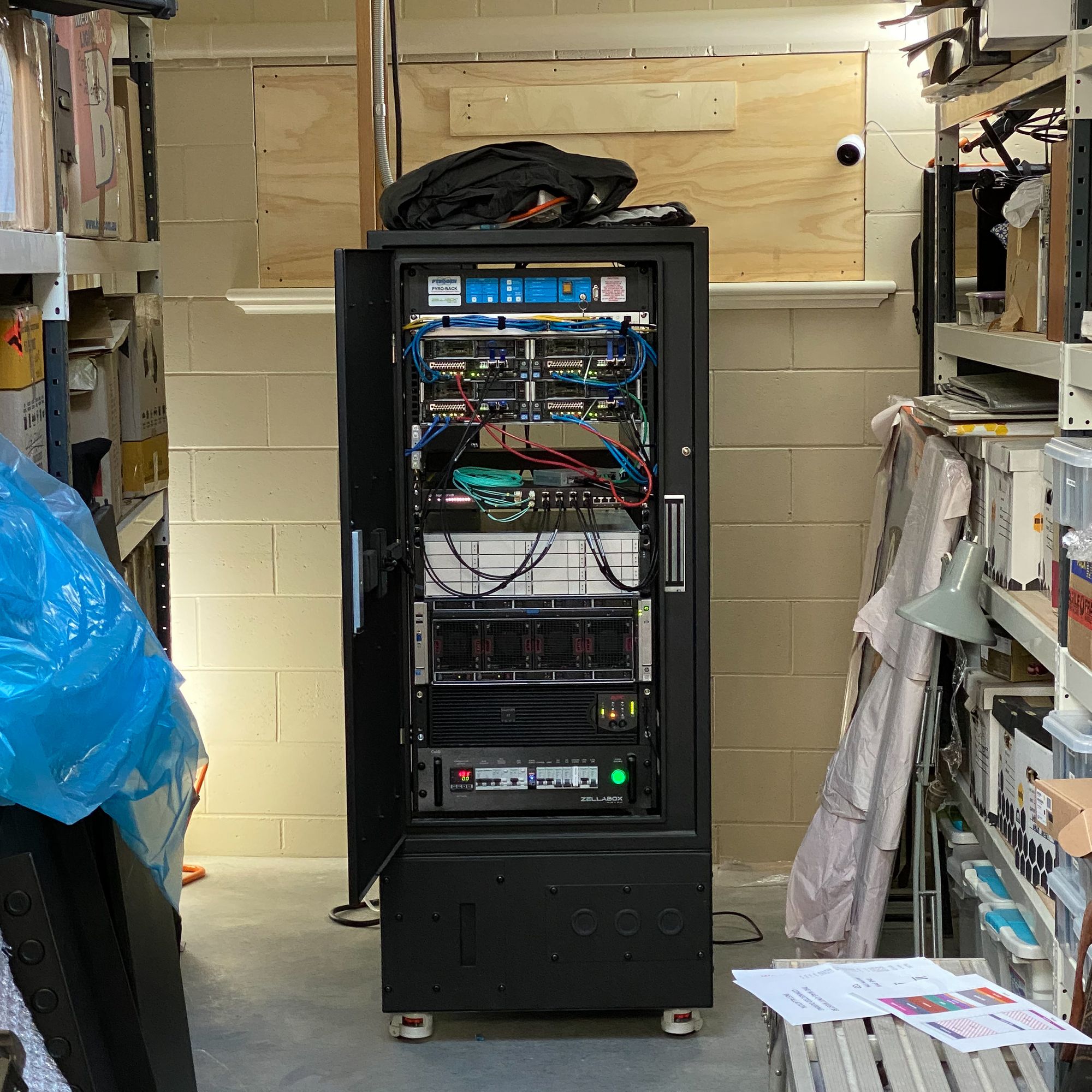
Mini is a hyper-converged infrastructure utilising the Ceph storage system to pool the SSDs install in each server node, enabling virtual pools of storage available to all virtual machines running on any node in the cluster. Depending on the specific Ceph pool types deployed concurrently on the same set of SSDs, different redundancies can be mixed. The configured
rbdblock device pool for example, which provides virtual ‘whole disks’ for a VM to itself manage the filesystem therein, is using a 3-way mirror type of redundancy. So for every block of data stored there are two additional copies stored in the pool. This why I quote the net SSD size as a raw 40TB. If I only used the Ceph storage for thisrbdpool, with 3-way mirroring, 13.3TB would be usable.The same set of disks is also housing thecephfspool which provides a shared filesystem, not unlike NFS. This pool is using a RAID5 style parity structure, less resilient and performant than the 3-way mirror structure, but much more efficient, space-wise.Both of these pools simultaneously share the exact same disks. Ceph is awesome.
Using the excellent Proxmox Linux hypervisor (network server operating system) with the shared storage provided by Ceph, Mini hosts various virtual machines, each running their own operating system.
Seeking to avoid managing pets, preferring to operate cattle (see not a fifth wheel), I’m very keen to minimise my personal management of Mini.
Configuration of components should be as automated as possible. Not only is hand-crafting the configuration of individual components time-consuming and error prone, but it is also boring.
The correct way to manage infrastructure is to ‘declare’ the state you want, and have the infrastructure automatically configure itself with automated checks to see if the configured state continues to match the desired, declared state (which may have changed). These infrastructure components, be they VMs, applications, storage or networks etc. are cattle.
Declarative management tools I use include Ansible and Bash scripts for Proxmox host and VM management, and Kubernetes with Kustomize and Git for (most) application management.
That said, there are still some pets I manage for a variety of reasons. These include;
- Home Assistant
- InfluxDB database (for Home Assistant and Powerwall metrics logging)
- monitoring tools
- network gateways
- DCIM & IPAM
Whilst I’m keen to move all workloads to Kubernetes, I’m still sufficiently green with the technology to understand. I know far too little, to not only be able to fix problems when they arise, but more likely my ignorance will probably be the root of the problem itself. Connectivity and diagnostic tools should remain resilient, and that means not running on bleeding edge systems I’m liable to cut myself with.
High Availability Virtual Machines
Proxmox will not automatically enable high availability for VM workloads, as the functionality is dependant on shared storage availability. When present, Proxmox certainly can be configured to ensure VMs remain available, even if the node running the VM fails.
I use this capability to ensure my Home Assistant workloads remain up. Also my monitoring tools I’d like available in the event of a node failure.
In time, I plan on all workloads moving to Kubernetes, declaratively managed, running in a distributed manner, both on our Mini cluster, and on offsite infrastructure. That environment should facilitate general workload availability in the event of a total failure on site. Some site specific workloads of course would be down, but diagnostic tools should remain available.
Non-HA managed VMs are used for the Kubernetes (abbr. k8s) cluster. Given the workloads those VMs will host are scheduled and monitored by Kubernetes as cattle, they’ll re-spawn should the VM fail, on another Kubernetes Worker Node VM. The local storage for k8s workers also does not require high availability. However my servers have limited local (non-Ceph) storage available, so I’m variously using a combination of shared storage and smaller local storage for k8s workloads.
Resilient networking
Both clusters, Proxmox & Ceph require resilient networking to avoid potential split brain scenarios, recovery from which can be extremely difficult.
Proxmox when configured in clusters utilises Corosync for consensus, and stores configuration and some state information in a simple distributed database filesystem called ‘pmxcfs’.
Using the minimum 2x gigabit ethernet ports available in each node, I have configured a redundant dual ‘ring’ for Corosync using two ethernet switches. Even though Corosync operates at layer 3, I have placed each ‘ring’ subnet in their own layer 2 VLAN for further isolation.
Storage networking being far more bandwidth dependent is using the 2x 10 gigabit interfaces in each node. Ceph’s client facing networking is (to the best of my knowledge) single-homed, with only one interface/IP address per node.
In order to maximise throughput and add an element of redundancy, each node has its 2x 10Gb interfaces bonded together (link-aggregation). On top of these logical interfaces, a number of VLAN interfaces exist for application workload segmentation.
The downside is that absent me investing in some seriously over the top networking that supports multi-chassis link-aggregation, my storage and workload switching hardware is a single point of failure for Mini.
I have a cold spare, which would require a firmware update and configuration install to make good in the event the main switch fails.
This leads to the final chapter in this introduction to my home networking setup. That would be the Mini’s supporting household infrastructure.
Part 1 - What is MiniPart 2 - home computing journeyPart 3 - converged clusterPart 4 - not a fifth wheelPart 5 - our Mini computer (this post)